




Local-first privacy No document uploads Advanced reasoning included (Free)

Desktop AI assistant for your documents

Get answers, summaries, and drafts from your files on your device.

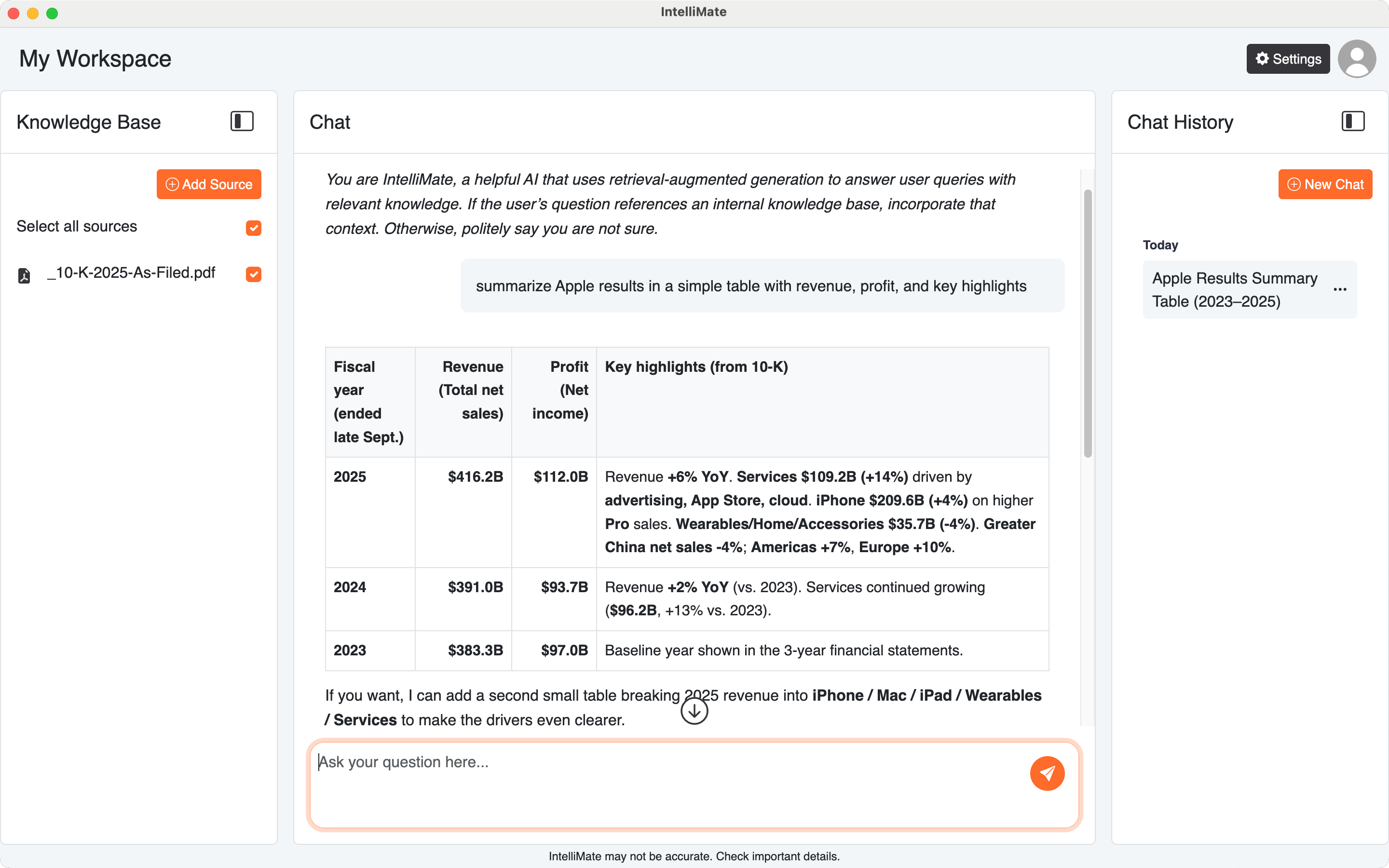
IntelliMate is a desktop AI assistant for PDFs, Word files, notes, manuals, and more. It gives answers grounded in your local documents, helps you extract key points, and turns content into drafts — built for focused, privacy-sensitive work.

Unlike web-based chat tools, IntelliMate works directly with your local documents so you don't need to upload files just to get answers.

  • Chat across your local documents (PDF, Word, and other common formats)
  • Summaries and clear explanations for long or complex sections
  • Draft new content using your documents as source material
  • Local-first privacy: documents stay on your device (not uploaded or stored on our servers). Advanced reasoning uses OpenAI models via IntelliMate’s secure relay (no API key required)

Desktop app • Works with your docs • Designed for focused work

In a nutshell

Your local AI knowledge workspace


Question multiple documents at once
Compare, cross-reference, and get answers grounded in your files.
Turn documents into summaries and next steps
Extract key points, explain sections, and capture action items fast.
Chat history for continuity
Pick up where you left off and keep your work organized.
Rich outputs
Clear formatting, code highlighting, and diagrams when needed.
Popular use cases
Most loved
Research Contracts Policies Procedures Reports Proposals Meeting notes Technical docs
User avatar User avatar User avatar User avatar User avatar

Loved by users for drafting, reviewing, and understanding documents faster with AI

Get started in a few steps

Install IntelliMate, add your files, and start your first document chat.

1

Download and install

Install IntelliMate on Windows or macOS and open the app on your desktop.

2

Add your files

Build your Knowledge Base with PDFs, Word files, notes, and other supported formats.

3

Start your first chat

Ask questions, get grounded answers, and use your files as source context when needed.

Features built for real work

A local document AI that works with PDFs, Word files, and more. Use advanced reasoning, keep chat history, and get rich formatting for real work without switching tools.

Chat with your documents

Get answers grounded in your files, with source excerpts you can open and verify.

Find what matters fast

Summaries, key points, and explanations for complex sections.

Create with confidence

Draft reports, proposals, summaries, and notes using your documents as the source.

Advanced reasoning included

Advanced reasoning is available on every plan, including Free. Upgrade only when you need more monthly messages and embedded pages.

Chat history and continuity

Keep context across sessions so you can pick up where you left off.

Rich rendering

Clean formatting with code highlighting and diagrams when needed.

Simple, transparent pricing

Start free with advanced reasoning, then upgrade when you need higher monthly limits.

Free

Get started with local document AI.

$0 / month
  • Advanced AI reasoning (included)
  • 20 chat messages per month
  • 400 embedded pages per month
  • Supports all major document types
  • Enhanced formatting (diagrams & code highlighting)
  • Chat history
  • Local document processing

Plus

Higher monthly limits for daily work.

$15 / month
  • Advanced AI reasoning (included)
  • 600 chat messages per month
  • 4,000 embedded pages per month
  • Supports all major document types
  • Enhanced formatting (diagrams & code highlighting)
  • Chat history
  • Local document processing

Pro

Unlimited freedom. Maximum capability.

$35 / month
  • Advanced AI reasoning (included)
  • Unlimited chat messages
  • Unlimited embedded pages
  • Supports all major document types
  • Enhanced formatting (diagrams & code highlighting)
  • Chat history
  • Local document processing
Clicking a plan takes you to Download. Install IntelliMate to get started, then choose your plan in the app.

Download IntelliMate

Choose your operating system

Windows Icon

Windows 10/11

Microsoft Store Get it on Microsoft Store

Search "IntelliMate" in Microsoft Store

macOS Icon

macOS

Apple silicon Intel chip

Direct downloads (.dmg)

Frequently asked questions

Common questions about privacy, supported files, payments, and plans.
IntelliMate is built with a local-first design. Your documents, queries, AI responses, chat history, and profile photo are stored on your local machine, not on our servers.

IntelliMate supports a wide range of files, including PDF, DOCX, XLSX, CSV, MD, HTML, TXT, JSON, YAML, TOML, TF, ENV, XML, LOG, and source code files such as JS, TS, TSX, JSX, CSS, SCSS, PY, JAVA, GO, RS, and SH.

No. Advanced reasoning uses OpenAI models through IntelliMate’s secure relay, so you can use it without setting up or paying for your own API key.

We partner with Stripe for subscription and card payment processing. Stripe is a leading global payments platform and is certified as a PCI Service Provider Level 1, the most stringent certification level in the payments industry. Your card details are processed through Stripe’s secure payment infrastructure and are not stored on our servers.

You can cancel anytime in the app. Open Settings, go to the Subscription tab, then click Cancel subscription.